
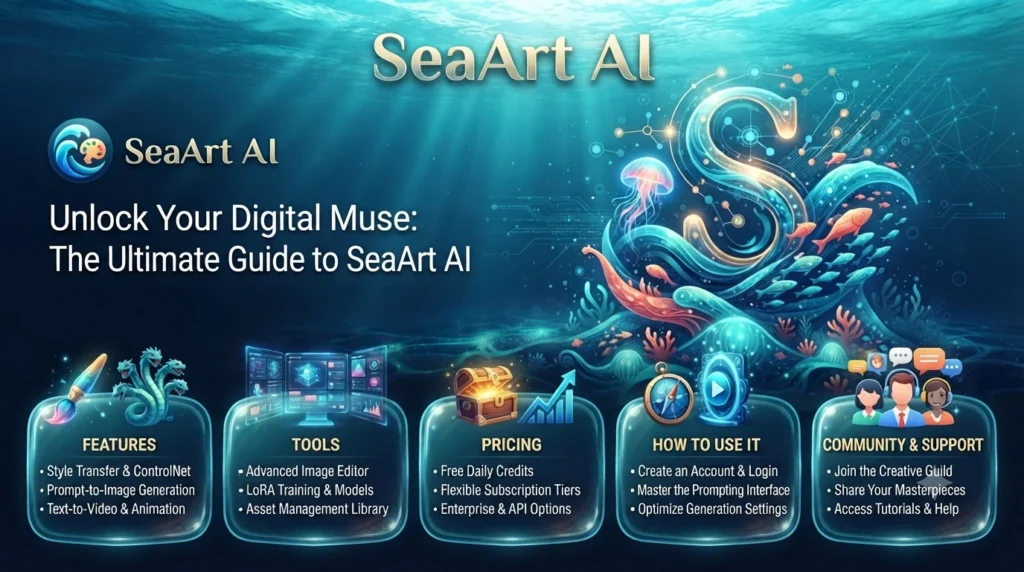
SeaArt AI: Features, Tools, Pricing and How to Use It
Introduction
Creating digital artwork, editing images and producing videos once required specialised software and considerable creative experience. AI-powered platforms are changing that process by allowing users to generate visual content from written descriptions, reference images and other inputs.
SeaArt AI is one such platform. It brings together AI image generation, video creation, image editing, creative models and community-based inspiration in one online environment. Users can describe an idea, select a suitable model and generate visual content without necessarily having professional design skills.
The platform is aimed at a broad audience, including digital artists, content creators, designers, marketers and people who simply enjoy experimenting with AI-generated visuals.
However, SeaArt AI offers more than a basic text-to-image generator. Its tools include image-to-image workflows, video generation, model customisation and LoRA training.
This guide explains what SeaArt AI is, how its main features work, how to get started, what its free and paid options offer, and what users should consider before using generated content commercially.
What Is SeaArt AI?
SeaArt AI is an AI-powered creative platform designed to help users generate, edit and explore digital content.
It supports different types of creative workflows, including:
-
Generating images from text prompts
-
Transforming existing images using AI
-
Creating videos from text or images
-
Editing and enhancing visual content
-
Exploring different AI models and artistic styles
-
Training LoRA models
-
Discovering and remixing community creations
-
Creating and interacting with AI characters
Rather than focusing on a single generation method, SeaArt combines multiple creative tools in one platform.
For example, a user could write a description of a futuristic city, generate an image based on that prompt, make adjustments to the result and then use an image-to-video tool to create an animated version.
SeaArt also provides a community where users can explore creations and find inspiration from other creators.
The platform is available through its website and mobile applications. Its official website describes it as an all-in-one environment for image, video and character creation.
How Does SeaArt AI Work?
SeaArt AI uses different AI models to interpret user inputs and generate visual content.
The exact process depends on the tool being used. For example, an image generator processes a written prompt, while an image-to-video tool uses an uploaded picture as a starting point for animation.
A typical image-generation workflow looks like this:
-
Open SeaArt AI and sign in if required.
-
Choose an image-generation tool.
-
Enter a description of the image you want.
-
Select a suitable AI model or visual style.
-
Adjust available settings.
-
Start the generation process.
-
Review the result and make changes if necessary.
-
Save or export the finished creation using the available options.
The platform uses resources such as Stamina and Credits for certain generation activities. The amount consumed depends on the selected model and task.
This means that two different generations may not have the same resource cost.
The final result also depends on the quality of the prompt, the selected model, the reference material and the generation settings.
Key Features of SeaArt AI
SeaArt AI offers a range of tools for people working with images, videos and other digital content. Here are the main features worth understanding.
1. AI Image Generation
Image generation is one of SeaArt’s core capabilities.
Users can describe a scene, object, character or visual concept in everyday language. The AI model then uses the prompt to create an image.
For example, a prompt might describe:
A cosy coffee shop on a rainy evening, warm interior lighting, large windows, cinematic photography and detailed surroundings.
The platform interprets the description and produces an image based on the selected model.
Users can explore different styles, including:
-
Realistic photography
-
Anime illustrations
-
Digital paintings
-
3D-style artwork
-
Fantasy scenes
-
Character portraits
-
Product visuals
-
Cinematic concept art
The available styles and results depend on the model being used.
2. AI Video Generation
SeaArt also provides tools for generating videos with AI.
Users can create video content from written prompts or animate existing images, depending on the selected model.
This can be useful for producing:
-
Short social media videos
-
Animated illustrations
-
Product showcase clips
-
Character animations
-
Cinematic scenes
-
Creative promotional content
Different video models offer different generation capabilities, output quality, durations and controls. Some support reference images, camera movement or more detailed scene direction.
Because video generation generally requires more processing resources than a standard image, users should check the Stamina or Credit cost before starting a task.
3. Image-to-Image Generation
Sometimes a user already has an image but wants to change its appearance.
SeaArt supports image-to-image workflows, where an uploaded picture acts as a reference for generating a modified visual.
For example, you could use an existing landscape photograph as a reference and explore a painting-inspired version of the same scene.
This approach can help when you want to preserve some elements of an original image while experimenting with different visual styles.
4. AI Image Editing
SeaArt includes tools for editing and improving existing visuals.
Depending on the available tool, users can explore features such as:
-
AI image upscaling
-
Background removal
-
Object removal
-
Partial repainting
-
Sketch-to-image conversion
-
AI filters
-
Character repair
These tools can reduce the amount of manual editing needed for certain creative tasks.
However, AI editing is not always precise. Small details, text, hands, faces and complex backgrounds may need further adjustments.
5. LoRA Training
LoRA stands for Low-Rank Adaptation. It is a technique used to adapt an existing AI model towards a particular subject, character or visual style without training an entire model from scratch.
SeaArt offers LoRA training functionality, allowing users to develop customised models for creative workflows.
For example, a creator might train a LoRA using suitable reference images to help generate a recurring character or a more consistent visual style.
The quality of a trained LoRA depends on factors such as:
-
The quality of the training images
-
The consistency of the reference material
-
The training settings
-
The underlying AI model
-
The way the LoRA is used in prompts
LoRA training consumes platform resources, and the cost depends on the complexity and duration of the training process.
6. AI Models and Customisation
SeaArt provides access to multiple AI models rather than relying on a single image or video generation engine.
Different models can produce different results from the same prompt. One may be better suited to realistic portraits, while another may be more suitable for stylised illustrations or video generation.
Users can explore available models and adjust supported parameters to influence the output.
This flexibility is useful for creators who want more control over their results rather than relying entirely on default generation settings.
7. Community and Creative Inspiration
SeaArt includes a community where users can discover artwork and explore creative ideas shared by others.
Community creations can help beginners understand how different prompts, styles and models influence generated images.
Some creations also provide options to remix or try similar workflows.
This makes the platform useful not only for producing content but also for learning through experimentation.
8. AI Character Creation and Chat
SeaArt also includes AI character-related experiences.
Users can explore available characters, interact with them and create personalised conversational experiences.
This adds another type of AI interaction to the platform, moving beyond image and video generation.
It may appeal to people interested in fictional characters, storytelling and creative conversations.
How to Use SeaArt AI
Getting started with SeaArt AI does not require professional design experience. However, understanding the basic workflow can help you get better results.
Step 1: Open the Platform
Visit the SeaArt AI website or install its mobile application.
Create an account or sign in using one of the available login options. The exact registration methods may vary depending on the platform version.
Step 2: Choose a Creative Tool
Decide what you want to create.
For example:
-
Select image generation for digital artwork.
-
Choose video generation for short animated clips.
-
Use image-to-image tools to transform an existing picture.
-
Explore editing tools to remove backgrounds or improve images.
-
Visit the model section to explore different generation options.
Step 3: Write a Clear Prompt
A prompt is the instruction you give the AI.
Instead of writing something very broad, describe the subject, setting, style, lighting and important details.
For example:
Basic prompt
A beautiful house in the mountains.
More detailed prompt
A modern wooden cabin surrounded by pine trees in the mountains, light snowfall, warm glowing windows, realistic architectural photography, soft evening lighting and a peaceful winter atmosphere.
The second prompt provides more visual direction, which may help the model produce a result closer to your idea.
Step 4: Select a Model and Settings
Choose an AI model that suits your creative goal.
Depending on the tool, you may be able to adjust settings such as aspect ratio, resolution, visual style, reference images and generation parameters.
If you are new to the platform, start with the default settings and experiment gradually.
Step 5: Generate Your Content
Start the generation process and wait for the result.
Processing time depends on the selected model, task complexity, queue conditions and your account’s available resources.
Step 6: Review and Improve the Result
Do not assume that the first result will be perfect.
Review the generated content for:
-
Incorrect visual details
-
Distorted objects or characters
-
Unwanted background elements
-
Inconsistent lighting
-
Unreadable text
-
Differences from your original idea
You can adjust the prompt, change the model or use editing tools to improve the output.
Step 7: Save or Share Your Creation
Once you are satisfied, use the available download or sharing options.
Before making a creation public, check its visibility settings and ensure you have the necessary rights to any reference material used.
Is SeaArt AI Free to Use?
SeaArt offers free access as well as paid SVIP membership plans.
Free users receive daily Stamina, which can be used for supported creative tasks. Paid plans provide additional resources and benefits, depending on the selected subscription.
According to SeaArt’s published pricing information, free users receive 130 Stamina per day. The platform estimates that this can support approximately 21 image generations using its stated example model and cost assumptions. Actual generation counts vary depending on the model and task.
Understanding Stamina and Credits
SeaArt uses two resource systems:
Stamina: Daily resources that are replenished and do not accumulate from one day to the next.
Credits: A separate resource balance that can be obtained or purchased and used for supported creation tasks. Credit validity depends on how and when they were acquired.
The platform’s published information explains that resource costs vary between models. Always check the displayed cost before generating content.
SeaArt Free vs Paid Plans
| Feature | Free access | Paid SVIP plans |
|---|---|---|
| Image generation | Limited by available resources | Higher resource allowances |
| Video generation | Access subject to available limits | Expanded access depending on plan |
| Generation speed | Standard access | Priority generation options |
| Simultaneous tasks | Lower task limit | Higher limits by tier |
| Private generation | Plan-dependent availability | Included in supported SVIP privileges |
| LoRA training | Available with resource costs | Additional resources and priority options may apply |
The exact benefits vary by subscription tier. SeaArt currently lists Beginner, Standard, Professional and Master SVIP options.
Is a Paid SeaArt Plan Worth It?
A paid plan may be useful if you create images or videos frequently and regularly run out of free resources.
It may be worth considering for:
-
Designers producing visuals for multiple projects.
-
Content creators making AI videos regularly.
-
Artists experimenting with different models.
-
Businesses creating product or advertising visuals.
-
Users who need more simultaneous generation tasks.
However, occasional users may find the free allowance sufficient.
Before subscribing, compare the current price, resource allocation, generation limits, renewal conditions and cancellation policy. Also remember that the platform’s displayed estimated price may differ from the final amount due to taxes or payment-related factors.
Who Should Use SeaArt AI?
SeaArt AI can be useful for different types of creators. Its combination of image generation, video tools and editing features makes it relevant to several industries.
1. Digital Artists and Illustrators
Artists can experiment with different visual styles, generate creative references and explore new concepts.
For example, an illustrator might use AI to create a rough fantasy landscape before developing the final artwork manually.
2. Social Media Content Creators
Social media creators often need fresh visuals for posts, stories, thumbnails and short videos.
SeaArt can help generate visual concepts and animated content that creators can further edit for their publishing needs.
3. Graphic Designers
Designers can use AI-generated images as starting points for creative projects, mood boards and visual experimentation.
However, final commercial designs should still be reviewed for quality, brand consistency and licensing requirements.
4. Digital Marketing Agencies
Marketing agencies can experiment with AI-generated visuals for advertising concepts, promotional campaigns and social media content.
For example, an agency could create several product-image concepts to explore different creative directions before developing a final campaign.
5. E-commerce Businesses
Online sellers can explore AI-generated product visuals, promotional backgrounds and creative advertising concepts.
AI-generated product images should accurately represent the actual product. Businesses should avoid presenting fictional product features or misleading visuals to customers.
6. Video Creators
People interested in AI filmmaking can use video generation tools to experiment with scenes, animations and short creative clips.
This can be useful for concept development, storytelling and promotional content.
Is SeaArt AI Safe to Use?
SeaArt AI provides an online environment for generating and sharing creative content. However, users should consider privacy, account security and content ownership before uploading material.
Here are some practical precautions:
Protect personal information: Avoid including private details in prompts or uploaded content.
Review privacy settings: Check whether your creations are public or private before sharing them.
Use trusted reference images: Upload only images that you have permission to use.
Check subscription settings: Review payment terms, renewal dates and cancellation conditions before purchasing an SVIP plan.
Be careful with sensitive images: Do not upload photographs of other people without appropriate permission.
Review generated content: AI outputs can contain unexpected or inaccurate details, so check them before publishing.
SeaArt’s official pricing information describes private generation as an SVIP feature. Availability depends on the subscription and settings, so users should verify the current options rather than assuming every creation is private by default.
Can You Use SeaArt AI Images for Commercial Purposes?
This is an important question for freelancers, designers, agencies and business owners.
SeaArt’s published pricing and FAQ information states that users’ intellectual property rights in content they generate belong to them. It also says the platform does not generally prohibit commercial use of users’ own creations.
However, there is an important distinction between generated content and material belonging to someone else.
If you use another creator’s artwork, model or LoRA, you may need permission from the relevant rights holder before using it commercially. SeaArt also states that users are responsible for the risks associated with commercial use.
Before using generated content in a commercial project:
-
Check the terms applicable to your account and the specific model.
-
Review the permissions attached to reference images and LoRAs.
-
Avoid using copyrighted characters, logos or artwork without appropriate rights.
-
Check whether the output contains recognisable third-party intellectual property.
-
Review the laws and regulations that apply in your country.
-
Keep records of relevant permissions and licences.
Commercial usability does not automatically mean that every generated image is free from copyright, trademark or other legal concerns.
SeaArt AI Alternatives
SeaArt is one option in a growing market of AI creative platforms. Depending on your requirements, other tools may also be worth exploring.
Midjourney
Midjourney is known for AI-generated visual artwork and image creation. It may appeal to users who primarily want to explore artistic images and creative visual styles.
Leonardo AI
Leonardo AI offers image-generation and creative tools for artists, designers and content creators.
It is worth considering if you want to experiment with different visual workflows.
Adobe Firefly
Adobe Firefly provides generative AI features for image creation and editing. It may suit professionals already working with Adobe’s creative applications.
Canva AI
Canva offers AI-powered creative features alongside its broader graphic design and publishing tools.
It can be useful for people who want to combine AI-generated content with social media designs, presentations and marketing materials.
Runway
Runway focuses on AI-assisted video creation and editing.
It may be worth exploring if video production is your main priority.
Which Platform Should You Choose?
Your choice depends on the type of content you want to create:
-
Choose SeaArt AI for a combination of image generation, video creation, model exploration and community features.
-
Consider Midjourney for artistic image generation.
-
Explore Leonardo AI for creative image workflows.
-
Consider Adobe Firefly for generative features within Adobe’s creative ecosystem.
-
Explore Canva AI for everyday marketing and design materials.
-
Consider Runway for AI-assisted video production.
Compare current features, usage limits, privacy policies and commercial terms before choosing a platform.
Common SeaArt AI Problems and How to Fix Them
Users may occasionally experience technical issues while generating or editing content. Here are some common problems and possible solutions.
1. Image Generation Is Taking Too Long
Generation time can depend on the selected model, server demand and account priority.
Try selecting a different model, reducing unnecessary settings or checking whether your account has access to a faster generation queue.
2. SeaArt AI Is Not Generating the Expected Image
Sometimes the AI misunderstands a prompt or produces unwanted details.
Try making the description more specific. Explain the subject, background, lighting, composition and visual style separately.
You can also experiment with a different model.
3. Stamina or Credits Are Running Out
Different generation models consume different amounts of resources.
Check the cost before starting a task. If you create content regularly, compare the free allowance with the available SVIP plans.
4. Generated Images Look Distorted
AI-generated images may contain unusual hands, faces, objects or background details.
Try adjusting the prompt, using a different model or applying available editing and repair tools.
5. Video Generation Is Not Working
Video generation may require more resources and processing time than image creation.
Check your available Stamina or Credits, confirm that the selected model supports your intended input and try again if the service experiences temporary delays.
Conclusion
SeaArt AI brings several AI-powered creative tools together in one platform. From generating images and creating videos to editing visuals, training LoRA models and exploring community creations, it offers different ways to experiment with digital content.
Its free access makes it possible for beginners to explore the platform, while SVIP subscriptions provide additional resources and creative features for more frequent users.
However, getting good results still requires experimentation. Writing clear prompts, choosing suitable models and reviewing generated content can make a significant difference.
Whether you are a digital artist, content creator, designer or business owner, SeaArt AI is worth exploring if you want to include AI-generated visuals in your creative workflow.
What is SeaArt AI mainly used for?
SeaArt AI is used to generate and edit images, create AI videos, explore different creative models and experiment with AI-powered content. It also offers community features, LoRA training and AI character interactions.
Is SeaArt AI free?
Yes. SeaArt offers free access with a daily Stamina allowance. Paid SVIP subscriptions provide additional resources and features, depending on the selected plan.
Can SeaArt AI generate videos?
Yes. SeaArt provides AI video generation tools that can create clips from text prompts or reference images, depending on the selected model. Video generation limits and resource costs vary.
Can I use SeaArt AI for commercial projects?
SeaArt’s published information allows commercial use of users’ own generated creations, subject to applicable rights and responsibilities. However, using another creator’s work, model or LoRA may require permission. Always check the relevant terms before commercial publication.
What is LoRA training in SeaArt AI?
LoRA training is a way to adapt an existing AI model towards a particular subject or style using reference material. SeaArt provides this feature so users can develop customised creative workflows.