Google Ads Not Generating Leads? Common Reasons Your Campaigns May Be Failing
Introduction
Running Google Ads but not receiving enquiries can be frustrating. You may be spending money every day, getting clicks and seeing impressions in your account, yet the phone is not ringing and your contact form remains empty.
The problem is not always your advertising budget. Sometimes, the issue lies in how your campaigns are structured, which keywords you are targeting, what your ads promise or what happens after someone clicks.
Google Ads can help businesses reach people who are actively searching for their products or services. However, getting visibility is only one part of the process. A successful campaign also needs to attract the right audience and give them a clear reason to take action.
If your Google Ads are not generating leads, it is worth investigating the entire journey, from the search query to the landing page and final enquiry.
In this guide, we will explore the common reasons Google Ads campaigns fail to generate leads, how to identify the problems and what businesses or digital marketing agencies can do to improve campaign performance.
Why Are Your Google Ads Not Generating Leads?
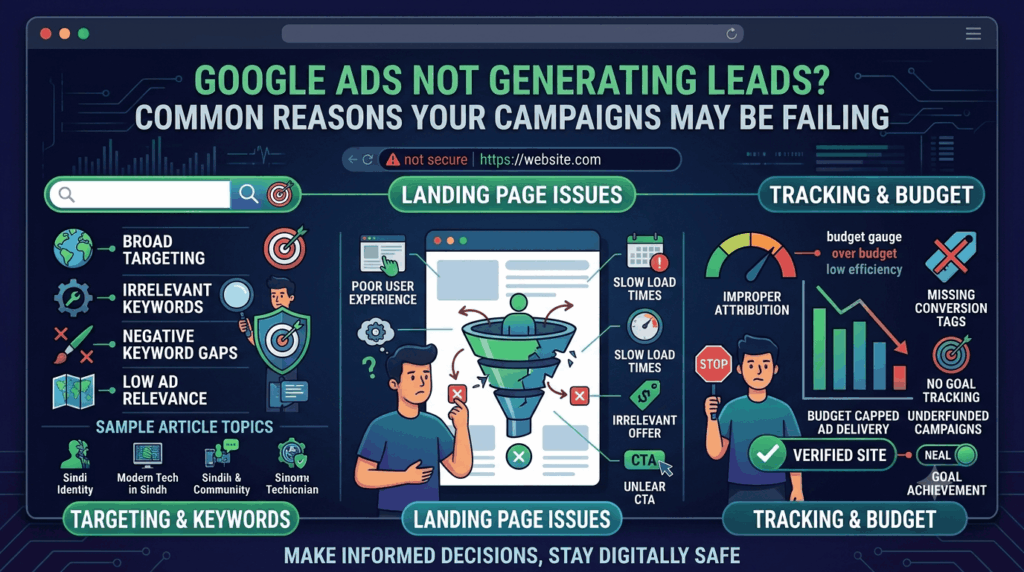
There is no single reason why a Google Ads campaign might generate clicks without enquiries. Several factors can affect performance, including targeting, keywords, ad messaging, landing page experience, conversion tracking and budget allocation.
For example, a plumbing business might receive plenty of clicks from people searching for plumbing information, DIY tutorials or employment opportunities. Although these visitors contribute to traffic, they may not be looking to hire a plumber.
Similarly, a business could attract highly relevant visitors but lose potential customers because its website is slow, difficult to navigate or missing a clear contact option.
Before increasing your advertising budget, understand where the campaign is losing potential customers.
1. You Are Targeting the Wrong Keywords
Keywords influence when your ads appear in Google search results. If you choose keywords that do not match your services or customer intent, your campaign may attract visitors who are unlikely to become leads.
Consider a company offering professional website development services.
It might target broad keywords such as:
- Website
- Web design
- Online business
- Free website
- Website examples
These searches can come from people looking for inspiration, tutorials, free tools or general information rather than professional website development.
A more focused keyword list could include:
- Website development services
- Professional web development company
- Business website developers
- Hire a website developer
The best keywords depend on the services offered, target market and search behaviour of potential customers.
How to fix keyword targeting
Start by reviewing the Search Terms report in your Google Ads account. It shows the actual searches that triggered your ads.
Look for searches that are:
- Unrelated to your products or services.
- Focused on free solutions when you offer paid services.
- Related to jobs, courses or training when you are targeting customers.
- Informational rather than commercial, if your campaign is designed to generate enquiries.
Add irrelevant terms as negative keywords where appropriate. Also, consider using more specific keyword themes that reflect what potential customers are ready to buy.
2. Your Campaign Is Attracting Clicks but Not the Right Audience
Getting clicks does not automatically mean you are reaching potential customers.
Your ads may be visible to people who are interested in your industry but are not located in your service area, cannot afford your offering or do not need your services.
For example, a digital marketing agency serving businesses in Jaipur may receive clicks from users in other cities or countries. If the agency cannot serve those locations, much of that traffic may have limited commercial value.
Audience mismatch can happen because of:
- Incorrect location targeting.
- Broad audience settings.
- Unclear customer profiles.
- Poorly selected campaign networks.
- Inappropriate demographic or audience exclusions.
- Search terms that do not reflect buying intent.
How to improve audience targeting
Review your campaign’s location settings and confirm that they match your actual service coverage.
If you only serve customers in a particular city, avoid targeting a much wider area without a clear business reason.
Also review the location options carefully. Google Ads can use different location-related targeting settings, including people who are in or regularly in your targeted locations and people who show interest in them.
For local service businesses, the distinction can make a meaningful difference.
Do not exclude audiences or demographics simply because they have not generated leads yet. Use actual performance data and business requirements before making those decisions.
3. Your Ad Copy Does Not Give People a Reason to Contact You
Even when your ad appears for a relevant search, people may choose another result if your messaging does not explain why they should contact your business.
A weak ad might simply say:
“Digital Marketing Services | Contact Us Today”
This does not tell the searcher what the business specialises in or what makes its service relevant.
A more informative version could be:
“Digital Marketing Services for Growing Businesses | SEO, Google Ads and Website Support | Request a Consultation”
The second example communicates the service offering more clearly.
Common ad copy mistakes
- Using generic headlines.
- Failing to mention the main service.
- Not communicating a meaningful benefit.
- Using unclear calls to action.
- Making claims that are not supported by the actual service.
- Sending different types of searchers to the same generic message.
How to improve your ad copy
Write headlines that closely match the searcher’s intent. Explain what you offer and use descriptions to provide useful details.
Where relevant, highlight:
- Specific services.
- Service locations.
- Business experience.
- Genuine qualifications or certifications.
- Clear service benefits.
- Relevant calls to action.
Google Ads assets can also provide additional information, such as phone numbers, locations, links to important pages and other relevant details.
The goal is not simply to make an advertisement look attractive. It is to help the right person understand why your business may be a suitable choice.
4. Your Landing Page Is Not Designed to Generate Enquiries
Your ad may be doing its job by bringing relevant visitors to your website. However, if the landing page does not encourage visitors to take the next step, the campaign may still fail to generate leads.
Imagine someone searches for Google Ads management services and clicks your advertisement.
Instead of reaching a page explaining your Google Ads management service, they land on your homepage. They then need to search through different sections to understand what you offer.
Some visitors may leave before finding the information they need.
A landing page should continue the conversation started by the advertisement.
What makes a landing page ineffective?
- The page does not match the advertised service.
- Contact information is difficult to find.
- There is no clear call to action.
- The page contains too much unnecessary information.
- Important benefits are missing.
- The website looks outdated or unprofessional.
- The page takes too long to load.
- Forms are difficult to complete on mobile devices.
How to improve your landing page
Create dedicated landing pages for important services or campaign themes.
For example, a business advertising plumbing services could use separate pages for emergency plumbing, blocked drains and hot water repairs, provided each page offers genuinely useful and relevant information.
A good landing page should include:
- A clear headline explaining the service.
- A short introduction addressing the customer’s needs.
- Relevant service details and benefits.
- Genuine reviews, testimonials or trust signals where available.
- A visible phone number or enquiry form.
- A clear call to action.
- A mobile-friendly layout.
- Useful answers to common customer questions.
Make it easy for visitors to contact you without forcing them to navigate through several pages.
5. Your Conversion Tracking Is Not Set Up Correctly
This is one of the most important issues to investigate when Google Ads campaigns are not generating leads.
Your business might be receiving phone calls, form submissions or other enquiries, but Google Ads may not be recording them correctly.
Alternatively, the account may be counting actions that do not represent genuine leads.
For example, a campaign could record a conversion whenever someone visits the contact page, even if that person never submits the enquiry form.
This can create a misleading picture of campaign performance.
Common conversion tracking problems
- Contact forms are not tracking successful submissions.
- Phone calls are not being recorded correctly.
- Duplicate conversion actions are being counted.
- Page views are incorrectly treated as leads.
- Tracking tags are missing or incorrectly installed.
- Consent settings affect measurement.
- Conversion actions are configured with unsuitable goals.
- Offline leads are not being imported when needed.
How to fix conversion tracking
Review the conversion actions in Google Ads and confirm that each one represents a meaningful customer action.
For a lead generation business, useful conversion actions may include:
- Successful enquiry form submissions.
- Qualified phone calls.
- Appointment bookings.
- Consultation requests.
- Relevant lead events imported from a CRM.
Test each conversion action rather than assuming it works because a tracking tag is installed.
You should also distinguish between primary and secondary conversion actions. Primary actions are generally used for campaign optimisation, while secondary actions can provide additional reporting information.
Accurate tracking helps you understand what is happening and gives automated bidding strategies more reliable information to work with.
6. Your Budget Is Too Small or Poorly Distributed
A limited budget does not automatically mean a Google Ads campaign will fail. However, a budget that is too restricted for the target market, competition and campaign structure can limit the number of opportunities available.
Another common problem is distributing a small budget across too many campaigns, locations, services and keywords.
For example, a local business with a monthly budget of ₹20,000 might create separate campaigns for ten different services.
Each campaign then receives only a small portion of the available budget. This can make it difficult to collect enough meaningful performance data.
How to improve budget allocation
Start by identifying the services that matter most to your business.
Consider:
- Which services have the strongest commercial value?
- Which services have consistent customer demand?
- Which locations are most important?
- Which campaigns are generating relevant enquiries?
- How much can the business reasonably spend to acquire a customer?
Focus your available budget on the most important opportunities before expanding into additional campaign areas.
Also remember that advertising budget and management fees are different costs. Your advertising budget is paid to Google, while a Google Ads management fee is paid to the professional or agency managing your campaigns.
7. You Are Using the Wrong Bidding Strategy
Google Ads offers different bidding strategies depending on campaign goals.
If your objective is to generate enquiries, the bidding strategy should support that objective. Choosing an unsuitable approach can make it harder to achieve the intended results.
For example, focusing only on clicks may bring visitors to your website without necessarily prioritising people who are more likely to enquire.
Conversion-focused bidding strategies, such as Maximise Conversions or Target CPA, may be appropriate when reliable conversion tracking and sufficient performance information are available.
However, automated bidding is not a guaranteed solution.
If conversion tracking is inaccurate or the campaign is attracting irrelevant searches, automation may optimise towards the wrong signals.
How to review your bidding strategy
Check the following before changing your bidding settings:
- Is conversion tracking working correctly?
- Are the recorded conversions genuine leads?
- Does the selected bidding strategy match the campaign objective?
- Is the campaign receiving enough useful conversion data?
- Are your target CPA settings realistic for the business?
- Have you recently made major changes to the campaign?
Avoid switching bidding strategies repeatedly without understanding why performance is changing.
Give adjustments enough time to be evaluated, while continuing to monitor important issues such as irrelevant traffic and tracking errors.
8. Your Keywords Are Too Broad or Have the Wrong Match Types
Keyword match types influence how closely a user’s search needs to relate to your selected keywords before your ad can appear.
Using broad match without suitable campaign controls can expose your advertisements to searches that are less relevant to your business.
For example, a company targeting “digital marketing services” may receive searches related to digital marketing courses, jobs, free tools or general learning resources.
This does not mean broad match is always unsuitable. It can help advertisers discover additional relevant searches, particularly when conversion tracking and bidding are configured properly.
The problem occurs when advertisers use broad targeting without regularly reviewing search terms and campaign quality.
How to manage keyword match types
Google Ads provides three main keyword match types:
| Match type | How it works | When it may be useful |
|---|---|---|
| Broad match | Can match searches related to the keyword’s meaning and intent | Discovering relevant search opportunities with appropriate controls |
| Phrase match | Matches searches that include the meaning of your keyword | Maintaining a more focused keyword theme |
| Exact match | Targets searches with the same meaning or intent as the keyword | Focusing on specific high-intent searches |
Review your search terms regularly and use negative keywords to prevent clearly irrelevant searches from triggering your advertisements.
The right approach depends on your campaign goals, industry and available conversion data.
9. Your Competitors Have More Convincing Offers
People searching for a service may see several businesses advertising similar solutions.
If your competitors provide clearer information, stronger reasons to choose them or a more convenient enquiry process, potential customers may contact them instead.
For example, consider two businesses advertising web development services.
One simply says:
“Professional Website Development. Contact Us.”
The other communicates its services, mentions custom website solutions, explains its process and provides a clear consultation option.
The second advertisement may give searchers more information to support their decision.
How to make your offer more competitive
You do not always need to reduce your prices.
Instead, make it easier for potential customers to understand your value.
Consider highlighting:
- Your specialisation.
- The types of businesses you serve.
- Relevant experience.
- Your service process.
- Genuine customer feedback.
- Useful deliverables.
- What happens after someone submits an enquiry.
Review competitor advertisements and landing pages to understand how they communicate their offers. Use that research to improve your own messaging rather than copying another business.
10. Your Website Is Slow or Difficult to Use on Mobile
Many people discover local businesses and services using their smartphones.
If your website loads slowly, has difficult navigation or displays poorly on mobile devices, visitors may leave before contacting you.
Even a well-written advertisement cannot compensate for a frustrating website experience.
Website issues that can reduce enquiries
- Slow-loading landing pages.
- Text that is difficult to read.
- Buttons that are too small.
- Forms that do not work properly on mobile.
- Broken links.
- Pop-ups that interrupt the browsing experience.
- Contact details that are difficult to locate.
How to improve the mobile experience
Test your landing pages on different screen sizes and devices.
Check that:
- The main headline is visible without unnecessary scrolling.
- Phone numbers are easy to tap.
- Enquiry forms are short and functional.
- Important buttons are clearly visible.
- Images are appropriately sized.
- The page loads efficiently.
- Visitors can understand the service quickly.
Google’s PageSpeed Insights can help identify performance issues and provide suggestions for improving page speed.
11. You Are Not Following Up With Potential Leads
Not every potential customer will contact your business immediately after clicking an advertisement.
Some visitors may compare providers, discuss the purchase internally or need additional information before making a decision.
Even when your campaigns generate enquiries, slow follow-up can reduce the chances of converting those leads into customers.
For example, someone may submit a quote request to three local service providers. If one business responds quickly with relevant information while another takes several days, the faster response may have an advantage.
How to improve lead follow-up
- Respond to enquiries promptly.
- Make sure phone calls and contact forms reach the right person.
- Use a CRM or lead management system where appropriate.
- Record the source of each enquiry.
- Follow up with interested prospects.
- Review why enquiries are not becoming customers.
Google Ads performance should not be judged only by the number of leads. The quality of those leads and the business generated from them also matter.
12. You Are Not Reviewing Campaign Performance Regularly
Launching a campaign and leaving it untouched can allow avoidable problems to continue.
Search behaviour changes, competitors adjust their advertising and campaign performance can vary over time.
Without regular reviews, you may continue spending on keywords, advertisements or locations that are not supporting your business goals.
What should you review?
| Campaign area | What to check | Why it matters |
|---|---|---|
| Search terms | Irrelevant or low-intent searches | Helps identify wasted traffic |
| Keywords | Clicks, conversions and relevance | Shows which keyword themes deserve attention |
| Locations | Where clicks and leads originate | Helps improve geographic targeting |
| Ads | Messaging and asset performance | Identifies opportunities to improve relevance |
| Landing pages | Engagement and enquiry activity | Highlights conversion barriers |
| Conversion tracking | Accuracy of recorded actions | Supports reliable optimisation |
| Cost per lead | Advertising spend compared with leads | Helps assess acquisition efficiency |
| Lead quality | Qualified and unqualified enquiries | Connects advertising with business outcomes |
A useful review should consider the complete customer journey rather than focusing on one metric.
How to Diagnose a Google Ads Campaign That Is Not Generating Leads
Instead of changing everything at once, work through the campaign in a logical order.
The following process can help businesses and digital marketing agencies identify where the problem is occurring.
Step 1: Check whether conversion tracking works
Submit a test enquiry and verify that the correct conversion action is recorded.
Check form submissions, phone calls and other important lead actions.
If tracking is incorrect, fix it before making major optimisation decisions.
Step 2: Review the search terms report
Identify the actual searches triggering your advertisements.
Separate relevant commercial searches from unrelated or informational searches.
Add negative keywords where appropriate.
Step 3: Check location and audience settings
Confirm that your advertisements are reaching people within your intended market.
Review geographic performance and audience settings before making changes.
Step 4: Evaluate your advertisements
Check whether your headlines, descriptions and assets clearly communicate your service.
Make sure the advertisement matches the keywords and the landing page.
Step 5: Review landing page performance
Test the website on desktop and mobile.
Check page speed, contact forms, phone numbers, navigation and calls to action.
Step 6: Analyse lead quality
Speak with the sales or customer service team to understand which enquiries are relevant.
A campaign generating fewer but more qualified leads may be more valuable than one generating many irrelevant enquiries.
Step 7: Make controlled improvements
Prioritise the biggest problems first.
Avoid changing keywords, bidding strategies, budgets, ads and landing pages simultaneously. Making controlled changes helps you understand which adjustments influence performance.
Google Ads Performance Example: Why Clicks Do Not Always Become Leads
Consider a hypothetical local service business running a Google Ads campaign.
The campaign receives 500 clicks during a month, but only five enquiries.
<escape>| Metric | Example result |
|—|—:|
| Advertising spend | ₹25,000 |
| Total clicks | 500 |
| Average cost per click | ₹50 |
| Enquiries received | 5 |
| Cost per enquiry | ₹5,000 |
| Click-to-enquiry rate | 1% |</escape>
These figures are illustrative, not industry benchmarks or expected results.
The business might assume that it needs a bigger budget. However, increasing the budget before investigating the campaign could simply produce more of the same traffic.
A review might reveal:
- Some keywords are attracting informational searches.
- The location settings are too broad.
- The landing page does not explain the service clearly.
- The enquiry form is difficult to use on mobile.
- Conversion tracking has not been tested properly.
Addressing these problems may improve campaign efficiency, although actual results will depend on the market, competition, offer and implementation.
The important lesson is simple: more clicks are not necessarily the answer. Better-targeted traffic and a stronger conversion process are often more important.
When Should You Hire a Google Ads Management Company?
Managing Google Ads requires more than creating advertisements and selecting keywords.
Businesses need to monitor search terms, manage budgets, review bidding strategies, improve landing pages and measure lead quality.
If you do not have the time or expertise to manage these activities, working with a professional Google Ads management company may be worth considering.
A reliable provider should be able to:
- Review your existing campaigns.
- Identify targeting and keyword issues.
- Check conversion tracking.
- Improve ad copy and assets.
- Recommend landing page improvements.
- Monitor budget allocation.
- Provide transparent performance reports.
- Explain how campaign changes support business goals.
Before hiring an agency, ask how it measures qualified leads, what work is included in its management fee and whether you retain appropriate access and ownership of your advertising account.
If you are a digital marketing agency serving clients but do not have an internal PPC team, white label Google Ads management may also be an option. An external specialist can handle agreed campaign work while your agency maintains the client relationship and presents services under its own brand.
However, your agency should still review campaign quality, reporting and client outcomes.
Common Mistakes to Avoid When Fixing Google Ads Campaigns
When a campaign stops generating enquiries, businesses sometimes make quick changes without understanding the underlying problem.
Avoid these common mistakes:
1. Increasing the budget immediately: More spending will not automatically solve poor targeting or a weak landing page.
2. Changing all keywords at once: Large, uncontrolled changes make it harder to understand what improved or reduced performance.
3. Ignoring conversion tracking: You cannot make reliable optimisation decisions if the data does not represent genuine enquiries.
4. Choosing keywords only by search volume: High-volume keywords may attract visitors who are not ready to buy.
5. Sending every advertisement to the homepage: Different services and search intentions may require different landing pages.
6. Focusing only on clicks: Clicks show traffic activity, not necessarily commercial success.
7. Expecting instant results: Campaign performance needs to be evaluated in context, with sufficient time and reliable data.
8. Ignoring lead quality: A high number of enquiries is not useful if most are irrelevant or cannot become customers.
Final Thoughts
If your Google Ads campaigns are not generating leads, the first step is to understand where potential customers are dropping out.
The issue could be your keywords, audience targeting, ad messaging, landing page, conversion tracking or follow-up process. In many cases, several smaller problems combine to reduce campaign performance.
Rather than increasing your advertising budget straight away, review the campaign from the search query to the final enquiry. Make improvements based on reliable data and measure whether those changes are bringing more relevant business opportunities.
For businesses that lack the time or expertise to manage this process, professional white label Google Ads management can provide the support needed to monitor campaigns, identify problems and make informed optimisation decisions.
Ultimately, the goal is not simply to get more clicks. It is to turn advertising spend into meaningful enquiries and customers.
Why are my Google Ads getting clicks but no leads?
Your advertisements may be attracting irrelevant searches, reaching the wrong audience or sending visitors to a landing page that does not encourage enquiries. Incorrect conversion tracking can also make actual results difficult to measure. Review search terms, targeting, landing pages and conversion actions before increasing your budget.
How long should I wait before expecting leads from Google Ads?
There is no fixed timeframe that applies to every campaign. Some businesses may receive relevant enquiries soon after launching, while others need time to test keywords, improve advertisements and refine targeting. Your industry, competition, budget, website and conversion process all influence the timeline.
Can a low Google Ads budget affect lead generation?
Yes. A restricted budget can limit the number of searches your advertisements can reach, especially in competitive industries. However, a larger budget does not guarantee more leads. Businesses should first make sure their targeting, conversion tracking and landing pages are working properly.
What is a good conversion rate for Google Ads?
There is no single conversion rate that is ideal for every business. Results depend on industry, campaign type, search intent, offer, location and landing page experience. Compare performance with your own historical results and focus on qualified enquiries rather than relying on one general benchmark.
Should I pause a Google Ads campaign that is not generating leads?
Not necessarily. First, investigate whether the campaign has a tracking issue, irrelevant search traffic, unsuitable targeting or a landing page problem. Pausing may be appropriate when spending is clearly wasteful or the campaign creates business risks, but the decision should be based on performance data.