
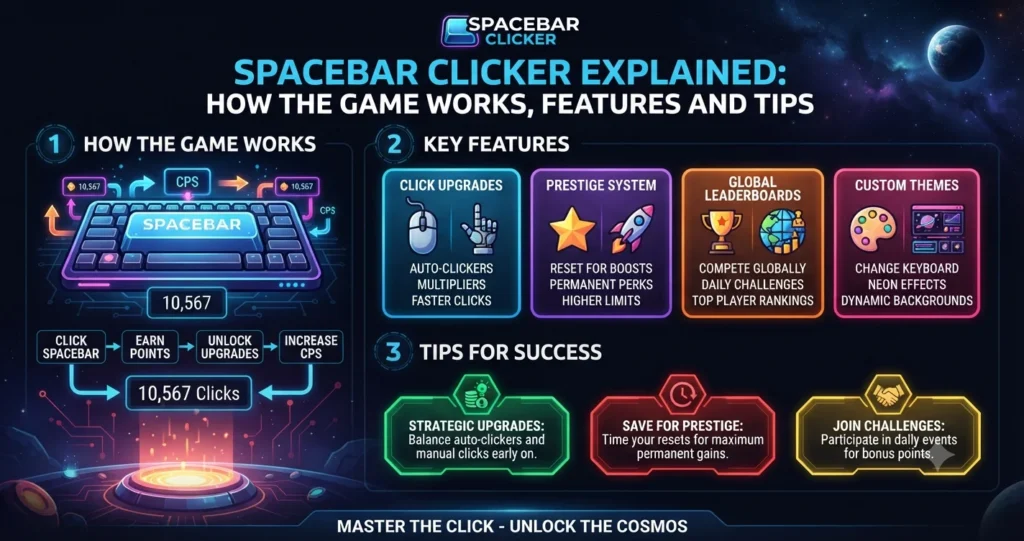
Spacebar Clicker Explained: How the Game Works, Features and Tips.
Introduction
Spacebar Clicker is a simple browser-based clicker game built around one familiar keyboard key: the spacebar. The basic objective is straightforward—press the spacebar to increase your score, then use the points you earn to improve your progress.
The game belongs to the broader idle and incremental game category. Instead of requiring complicated controls, it turns a single action into a progression system. Players can repeatedly press the key, accumulate points and, depending on the version they are playing, purchase upgrades or automated helpers.
There is an important distinction to make when searching for the game online. “Spacebar Clicker” is now used by multiple websites and implementations. The original project was created by Bruno Croci for the 2021 js13kGames competition, while later versions and hosted copies can add different mechanics, designs or features.
That difference matters when comparing features. A leaderboard, seasonal theme, achievement system or particular upgrade tree found on one website should not automatically be attributed to every version using the same name.
Quick Facts About Spacebar Clicker
| Feature | Details |
|---|---|
| Game type | Idle / incremental clicker |
| Main action | Press the spacebar |
| Basic objective | Earn points and increase production |
| Platform | Web browser |
| Typical control | Spacebar or on-screen button |
| Progression | Points, upgrades and automation in many versions |
| Mobile support | Available on some browser implementations |
| Original creator | Bruno Croci |
| Original competition | js13kGames 2021 |
| Download required | Usually no |
| Account required | Depends on the website hosting the game |
| Main appeal | Simple controls and incremental progression |
Because several versions exist, exact upgrades, saving systems, achievements and scoring mechanics can vary.
How Does Spacebar Clicker Work?
The central gameplay loop requires very little explanation.
Pressing the spacebar generates points or clicks. Those points can then be used to improve your production rate, depending on the version of the game.
Some implementations introduce automatic helpers. These upgrades generate points without requiring every point to come from a manual key press. Other versions focus more heavily on speed testing and simply count how many times you can press the key during a selected period.
The incremental structure creates a simple cycle:
Press → Earn → Upgrade → Automate → Earn Faster
Once automated production becomes available, the game changes from pure manual clicking into a progression-based experience.
A player can therefore start by concentrating on individual presses and gradually shift attention toward upgrades that increase long-term production.
How to Play Spacebar Clicker
Getting started normally takes only a few seconds.
Step 1: Open the Game
Spacebar Clicker generally runs directly in a web browser. No traditional game installation is necessary for browser-based versions.
Step 2: Start Pressing
Use the keyboard’s spacebar to generate points. Some versions also provide a large on-screen button that can be clicked with a mouse.
Step 3: Watch Your Score
The counter increases as you press. Depending on the implementation, you may also see statistics such as points per second, CPS, total presses or your best score.
Step 4: Purchase Upgrades
Once enough points have accumulated, look for available upgrades. These may increase the value of manual presses or introduce automatic point generation.
Step 5: Build Momentum
Better upgrades allow your score to grow more quickly. Manual clicking can then be combined with passive production for faster progression.
The exact interface differs between websites, so the buttons and upgrade names may not match from one version to another.
Understanding Points and Clicking
At its simplest, Spacebar Clicker treats every successful press as an opportunity to increase your score.
The original concept is deliberately minimal. Its GitHub project describes the game as an idle game where players press Space and collect as many spacebars as possible. The project was made for the 2021 js13kGames competition.
Modern versions can expand that concept considerably.
For example, a hosted implementation may introduce:
- Automatic point generation
- Click multipliers
- Upgrade trees
- Achievements
- Timed challenges
- Combo systems
- Best-score tracking
- Mobile controls
- Leaderboards
Those additions should be evaluated as features of the particular version rather than universal characteristics of Spacebar Clicker.
What Is CPS in Spacebar Clicker?
CPS means clicks per second.
The metric measures how many successful presses occur during a period of time. A simple calculation is:
CPS = Total Clicks ÷ Time in Seconds
For example, if you make 40 successful presses during a 10-second test, your average rate would be 4 CPS.
Not every Spacebar Clicker implementation uses CPS as its primary mechanic. Some versions are designed mainly as idle games, while others are explicitly built around spacebar speed testing. One current implementation, for example, offers timed challenges and displays live CPS.
That distinction is useful because a clicker game and a spacebar speed test can look similar while serving different purposes.
Spacebar Clicker Upgrades
Upgrades are what turn repeated pressing into an incremental game.
A typical upgrade system can improve one of two things:
Increase Manual Press Value
An upgrade may make each manual press worth more points. That approach rewards players who continue actively clicking.
Generate Points Automatically
Automatic helpers can create points without requiring constant manual input. Over time, passive production can become more important than individual presses.
Improve Multipliers
Some implementations use multipliers that increase the value of certain actions. Combo mechanics can also temporarily increase earnings.
Poki’s version, for example, includes helpers, keyboard upgrades, critical-hit mechanics and a combo mode. It identifies the game as an idle title created by Bruno Croci.
Because different sites host different versions, players should check the upgrade descriptions inside the specific game they are using.
Idle and Automatic Progression
The word idle describes one of the defining ideas behind this type of game.
Manual clicking gets the process started. Automated production then allows the score to continue increasing without requiring the same amount of constant input.
That creates a progression curve that can feel rewarding even when the basic gameplay remains extremely simple.
Suppose an upgrade generates points automatically. Buying several additional upgrades can increase production further. The growing rate then makes the next upgrade easier to afford.
This compounding loop is a major reason incremental games can remain engaging despite having very few controls.
Spacebar Clicker on Desktop and Mobile
Desktop computers provide the most obvious control method because they have a physical spacebar.
Most browser implementations let players press the keyboard key directly. Some also support mouse clicking on an on-screen spacebar, which makes the game accessible even when keyboard input is not being used.
Mobile play depends on the specific implementation.
A mobile-friendly version may display a virtual spacebar that players tap. Other sites may focus primarily on keyboard-based desktop play.
Touchscreen controls can also change the nature of a speed challenge. A physical keyboard and a touchscreen do not provide the same input experience, so CPS results from the two methods should not necessarily be treated as directly comparable.
Is Spacebar Clicker Free?
Many versions of Spacebar Clicker are available as free browser games.
However, “Spacebar Clicker” refers to multiple implementations, so pricing and advertising policies can differ between websites.
Before using an unfamiliar game site, check whether it:
- Requires an account
- Displays third-party advertising
- Requests unnecessary permissions
- Offers paid features
- Redirects users to unrelated pages
- Asks for personal information
A game being free does not automatically mean every website hosting a similarly named version has the same privacy or security practices.
Does Spacebar Clicker Save Progress?
Saving behaviour depends on the version.
Some implementations use browser storage to preserve progress. Others may provide account-based saving, while simple speed-test versions may only record the results from the current session.
One current Spacebar Clicker implementation states that progress is automatically saved in the browser. Poki’s version also says progress saves automatically.
Players should therefore check the game’s own instructions before assuming that a score will survive after clearing browser data or switching devices.
Clearing cookies or local browser storage can remove locally stored progress in games that rely on that method.
Tips for Improving Your Spacebar Clicker Score
Getting a better score does not necessarily require complicated techniques.
Keep a Consistent Rhythm
Rapid pressing can be less effective if your rhythm becomes irregular. A steady pattern can help maintain control during longer sessions.
Avoid Holding the Key
Many speed-test implementations count individual key presses rather than a key being held down. A current spacebar test, for example, explicitly ignores held-key repetition.
Use Short Practice Sessions
Repeated short attempts make it easier to compare results. You can experiment with different finger positions and rhythms without creating excessive fatigue.
Watch Your Accuracy
Speed matters, but accidental presses or missed inputs can reduce the effectiveness of a rapid technique.
Prioritise Upgrades
In idle versions, spending points efficiently can matter more than simply pressing faster. A strong upgrade can increase production continuously rather than improving only a few seconds of manual activity.
Take Breaks
Repeated rapid keyboard movements can become uncomfortable. Stop if your fingers, wrist or hand begin to hurt.
Spacebar Clicker vs a Spacebar Speed Test
These terms are sometimes used interchangeably, but they can describe different experiences.
| Spacebar Clicker Game | Spacebar Speed Test |
|---|---|
| Focuses on progression | Focuses on measurement |
| May include upgrades | Usually uses a fixed timer |
| Can generate points automatically | Normally counts manual presses |
| Often has an idle-game structure | Usually reports CPS |
| Progress may continue over time | Each attempt is often a separate test |
| Entertainment is a major goal | Speed measurement is the main goal |
A speed test asks, “How fast can I press?”
An idle clicker asks, “How quickly can I build production?”
Some modern websites combine both concepts, which explains why search results for the term can look quite different.
The Original Spacebar Clicker
The original Spacebar Clicker has a documented connection to Bruno Croci, also known as CrociDB.
According to the project’s GitHub repository, the game was created for the js13kGames 2021 competition. The repository describes it as an idle game centred on pressing Space and collecting spacebars.
The original project is particularly interesting because js13kGames is built around creating browser games within a very small file-size constraint. That limitation helps explain why the original concept is so compact.
The GitHub repository was archived in April 2024 and is now read-only.
Later websites can still use the Spacebar Clicker name, but their additional features should not automatically be presented as part of Croci’s original competition entry.
Why Are There Different Spacebar Clicker Versions?
The name is descriptive enough that multiple websites can use it.
Search results currently show several implementations with different combinations of features. Some concentrate on speed testing, while others offer idle progression, automatic helpers, achievements or additional game modes.
That creates an important research issue.
A player searching for “Spacebar Clicker” may find a game that is not the same build they played previously. The interface might look familiar, yet the scoring system or progression mechanics can be completely different.
For that reason, always check the actual website address and developer information when you need to identify a particular version.
Is Spacebar Clicker Safe?
The basic game concept is not inherently dangerous. The bigger consideration is which website you choose to play on.
A browser game can be harmless while an unrelated third-party page using the same keyword may have aggressive advertising or questionable redirects.
Before playing, consider the following:
- Use a reputable game platform when possible.
- Check the domain name carefully.
- Avoid downloading unknown executable files.
- Do not provide unnecessary personal information.
- Be cautious if a game asks for browser permissions unrelated to gameplay.
- Keep your browser and security software updated.
- Avoid suspicious pop-ups claiming that software is required to play.
No legitimate browser game should require you to install unknown software simply to press a virtual spacebar.
Common Mistakes Players Make
Confusing the Game With a CPS Test
Not every Spacebar Clicker measures speed in the same way. Some are incremental games with automated production.
Assuming Every Version Has the Same Features
One site may offer achievements, while another may have none. A feature found on one implementation should not automatically be attributed to another.
Ignoring Upgrade Economics
Constant pressing is not always the most efficient strategy in an idle version. Some upgrades can produce more long-term value.
Using Untrusted Websites
Search rankings alone do not guarantee that every game host is safe. Check the website before interacting with downloads, notifications or account requests.
Expecting Progress to Transfer
Browser storage is often tied to a particular site, browser and device. Switching platforms may therefore mean starting again.
Overdoing Speed Practice
Repeated rapid pressing can cause discomfort. Short sessions with regular breaks are a more sensible approach than pushing through pain.
Final Takeaway
Spacebar Clicker turns one of the simplest keyboard actions into a surprisingly engaging browser-game concept.
The core mechanic is easy: press the spacebar, earn points and improve your production. Idle versions add another layer by allowing upgrades and automated helpers to generate progress without requiring constant manual input.
The name can be slightly confusing because multiple websites now offer games or tools called Spacebar Clicker. Features such as CPS testing, achievements, leaderboards, combo modes and specific upgrade systems may belong to individual implementations rather than the original game.
The original version has a documented connection to Bruno Croci’s 2021 js13kGames entry, while later platforms have expanded the concept in different directions.
For casual players, the appeal is simplicity. There is no complicated control scheme to learn, and a short session can turn into a longer attempt to beat a previous score.
Players interested in speed should focus on consistent input rather than simply forcing maximum repetition. Those playing an idle version should pay attention to upgrades and production efficiency.
Ultimately, Spacebar Clicker works because it takes one familiar key and turns it into a simple loop of pressing, progressing and trying to improve.
What is Spacebar Clicker?
Spacebar Clicker is a browser-based clicker or idle game built around pressing the keyboard’s spacebar to generate points. Different websites may offer different versions.
Who created the original Spacebar Clicker?
The original game was created by Bruno Croci, also known as CrociDB, for the 2021 js13kGames competition.
Can I play Spacebar Clicker without a keyboard?
Some versions allow mouse or touchscreen input through an on-screen button. Support depends on the specific website.
Is Spacebar Clicker free?
Many browser versions are free to play. However, different websites may have different advertising, account or monetisation policies.
Does Spacebar Clicker save progress?
Some versions save progress automatically through browser storage or another system. Saving is not universal, so check the specific implementation.