
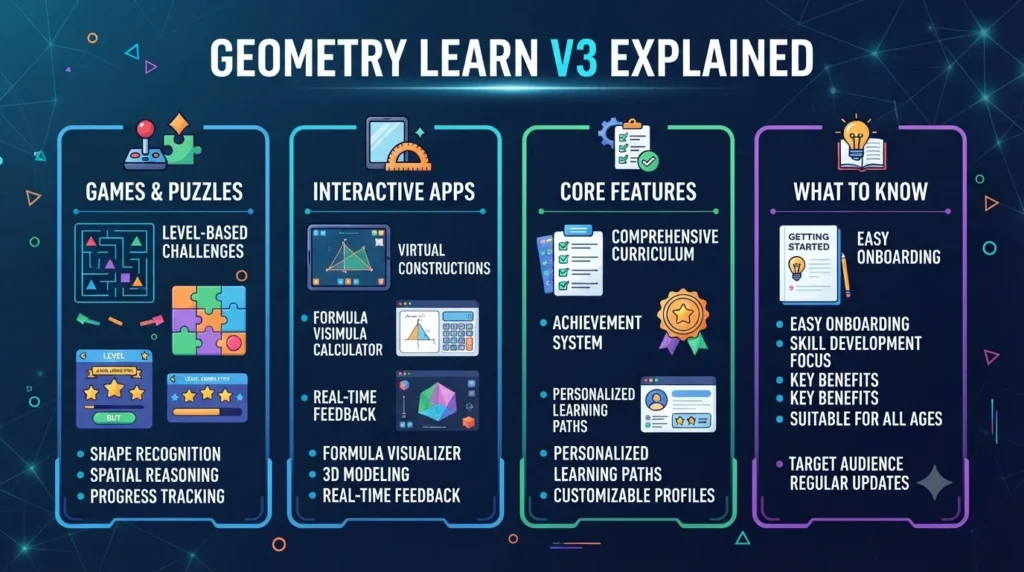
Geometry Learn V3 Explained: Games, Apps, Features and What to Know.
Introduction
The name Geometry Learn V3 sounds like a dedicated mathematics platform. A reader might expect structured geometry lessons, interactive diagrams, practice questions, or tools for learning angles, triangles, circles, and transformations.
However, publicly available information tells a more complicated story.
The project associated with the name identifies itself as “V3” and “The GL Series.” Its visible interface includes sections such as Games, Apps, Extras, Settings, and Beta Search. That structure does not clearly establish a conventional geometry curriculum.
At the same time, numerous third-party articles describe Geometry Learn V3 as an interactive geometry or educational resource. Those descriptions mention visual activities, geometry concepts, spatial reasoning, and game-based learning. The problem is that many of those claims are not independently documented on the publicly visible project itself.
For that reason, this guide takes a verification-first approach. It explains what Geometry Learn V3 appears to be, what the V3 and GL Series labels mean, what users can see on the public project, how the educational claims should be interpreted, and what to consider before using it for learning.
Quick Answer: What Is Geometry Learn V3?
Geometry Learn V3 is the name associated with an independent browser-based project identified publicly as “V3” and “The GL Series.”
The visible project includes navigation for Games, Apps, Extras, Settings, and Beta Search. Some third-party websites describe the project as an interactive geometry-learning platform, but the publicly visible interface does not provide enough evidence to confirm that it is a formal or structured geometry curriculum.
One recent investigation goes further and reports that the site’s own metadata describes it as a games-oriented website with more than 150 games. Another guide similarly describes the project as a browser games hub rather than a traditional mathematics platform. These descriptions should be treated as observations of the current public site rather than proof of its complete history or ownership.
Geometry Learn V3 at a Glance
| Detail | What can be established |
|---|---|
| Name | Geometry Learn V3 |
| Public branding | V3 / The GL Series |
| Format | Browser-based web project |
| Visible sections | Games, Apps, Extras, Settings |
| Search | Beta Search is publicly displayed |
| Geometry curriculum | Not clearly documented on the public interface |
| Games | Games section is visible |
| Apps | Apps section is visible |
| Educational claims | Described by several third-party websites |
| Formal accreditation | Not established |
| Official education publisher | Not established |
| Best interpretation | Independent browser project with mixed online descriptions |
The table is important because the name alone can create expectations that the available evidence does not fully support.
What Does the “V3” Mean?
The V3 label appears to identify a version or iteration of the project.
The public interface explicitly presents itself as “V3” and refers to the GL Series. However, available public information does not provide enough authoritative documentation to reconstruct the complete development history of V1, V2, and V3.
Therefore, it is safer to treat V3 as a version designation rather than making detailed claims about exactly what changed between earlier releases.
This distinction matters when researching independent web projects. A version number can tell you that a project identifies itself as a particular iteration, but it does not automatically provide a complete release history.
What Is the GL Series?
The GL Series is part of the branding displayed by the public project associated with Geometry Learn V3.
The interface is relatively simple. Rather than presenting a long description of a company, curriculum, or educational institution, it emphasizes navigation to different sections.
The visible categories include:
- Games
- Apps
- Extras
- Settings
- Beta Search
That structure suggests that the project is broader than a single static geometry lesson.
Some third-party articles interpret the GL Series through an educational lens. Others describe it primarily as a browser-based gaming environment. Because these descriptions conflict, the actual public interface is the more useful starting point when determining what the project currently offers.
What Can You Actually Find on Geometry Learn V3?
The most clearly documented elements are the sections visible on the public project.
Games
A Games section is part of the main navigation.
This is one of the strongest clues that Geometry Learn V3 is not simply a conventional online geometry course.
Third-party investigations have reported that the site’s metadata promotes a collection of more than 150 games. Another guide describes the project as a browser-based games website with arcade, puzzle, and skill-oriented activities.
The exact game selection can change over time. Therefore, an old article listing specific games should not automatically be treated as a current catalogue.
Apps
The public interface also includes an Apps section.
The word “Apps” is broad. It does not independently establish whether every item is educational, mathematical, gaming-related, or simply a browser utility.
For that reason, it would be inaccurate to claim that the Apps section is a dedicated collection of geometry calculators or mathematics tools without verifying each current item.
Extras
An Extras section is another visible part of the project.
Its name suggests additional content outside the main Games and Apps categories. However, the publicly available evidence does not provide enough detail to describe every item that may appear there.
Independent web projects can change their contents frequently. Checking the live version is therefore more reliable than relying on an old third-party description.
Settings
The project also presents a Settings area.
A settings section is common in browser-based applications and game hubs. Its presence indicates that the project has some user-facing configuration functionality, but it does not prove the existence of advanced educational personalization.
Beta Search
The public interface also references a Beta Search function. Third-party descriptions identify the visible version as Beta Search v0.32.12.7.
The beta label suggests that this part of the project is presented as an evolving feature rather than a permanently finalized search system.
Is Geometry Learn V3 Actually a Geometry Learning Platform?
This is the most important question.
The answer requires some qualification.
Several third-party articles describe Geometry Learn V3 as an interactive geometry-learning resource. They associate it with concepts such as:
- Shapes
- Lines
- Angles
- Measurements
- Triangles
- Circles
- Transformations
- Spatial reasoning
- Geometry practice
- Visual learning
Those concepts would make sense for an educational geometry platform. However, the publicly visible project does not clearly present a structured sequence of geometry lessons or an established mathematics curriculum.
That creates a useful distinction:
A browser project can contain interactive activities without being a formally documented geometry curriculum.
A game may involve spatial reasoning without teaching a specific geometry standard. Similarly, an interactive application can help someone think visually without providing a complete mathematics course.
Students should therefore evaluate the actual activity instead of relying solely on the Geometry Learn V3 name.
Why Are Online Descriptions So Different?
Search results for Geometry Learn V3 currently show several conflicting interpretations.
Some pages present it as an advanced educational platform. Others describe it as a games portal. Additional articles take a cautious position and explain that the publicly visible project does not clearly support all of the educational claims made elsewhere.
This difference is important for anyone researching unfamiliar websites.
A third-party article may describe what the author believes a platform does. That description is not necessarily equivalent to documentation from the project itself.
The safest method is to compare:
- The actual website
- Its visible navigation
- Its metadata
- Its available activities
- Independent sources
- Official documentation, if available
Using that process helps separate documented functionality from assumptions.
Can Geometry Learn V3 Help With Geometry?
Potentially, but the answer depends on the activity.
Interactive digital activities can be useful for visual subjects such as geometry. Moving objects, exploring patterns, and working with spatial relationships can sometimes make abstract ideas easier to understand.
However, there is a difference between learning geometry through an activity and playing a game that happens to involve visual or spatial thinking.
For formal study, students should look for activities with clear mathematical objectives.
A useful geometry activity should ideally help the learner understand concepts such as:
- Angles
- Shapes
- Area
- Perimeter
- Congruence
- Similarity
- Coordinates
- Transformations
- Spatial relationships
- Geometric reasoning
If an activity does not explain what mathematical skill it develops, it should be considered supplementary rather than a complete learning resource.
Geometry Learn V3 and Interactive Learning
The educational appeal of a project like Geometry Learn V3 comes from interactivity.
Traditional geometry often relies heavily on diagrams and written explanations. Digital tools can add another layer by allowing users to interact with visual information.
For example, an interactive activity might allow a learner to change the size of a shape and observe how its area changes. Another exercise could involve rotating an object and comparing its orientation.
Those interactions can make mathematical relationships easier to visualize.
Still, interaction alone does not guarantee learning. Students need to connect the activity to mathematical reasoning, vocabulary, formulas, and problem-solving.
Is Geometry Learn V3 a Formal Educational Platform?
There is not enough reliable evidence to describe it as an accredited or formally recognized education platform.
The publicly visible project does not establish a school curriculum, university affiliation, recognized mathematics certification, or formal academic assessment system.
That does not automatically make the project useless. It simply means users should understand its status correctly.
A browser-based independent project can be useful for practice or entertainment without being equivalent to a school mathematics course.
Does Geometry Learn V3 Require an Account?
The available public descriptions do not establish a universal account requirement.
One third-party guide describes the project as a browser-based environment where users can access content without a conventional sign-up process. However, website functionality can change, so account requirements should be checked on the current version before relying on this information.
Users should also avoid entering personal information simply because a webpage requests it. Before creating an account on an unfamiliar site, check why registration is necessary and what information the site collects.
Is Geometry Learn V3 Free?
The publicly available information reviewed for this article does not provide a reliable official pricing structure for a paid Geometry Learn V3 educational subscription.
Third-party descriptions generally discuss the project as a browser-based resource rather than presenting a conventional paid course.
Because there is no clearly documented official pricing page establishing a subscription model, readers should avoid assuming that claims about premium plans, memberships, or paid educational features are current.
Is Geometry Learn V3 Safe?
Safety should be considered separately from educational usefulness.
The public project is presented as a browser-based website. Third-party descriptions identify it as an independent web project rather than a school-operated platform or established education company.
That means users should follow normal browser safety practices.
Avoid downloading unknown executable files. Do not provide unnecessary personal information. Be cautious about browser notifications, redirects, advertisements, and external links.
Parents and teachers should also consider whether a website is appropriate for the age group using it.
What Does “Geometry Learn V3 Unblocked” Mean?
You may encounter searches such as “Geometry Learn V3 unblocked” or “Geometry Learn V3 games unblocked.”
In this context, “unblocked” generally refers to accessing browser content in environments where websites or games may be restricted, such as school or workplace networks.
The term does not establish that the website is officially approved by a school or organization.
It also does not guarantee that a particular mirror or alternative domain is safe.
If you encounter an “unblocked” version on a different domain, check the domain carefully. A copied page can use the same name without being operated by the original project.
Geometry Learn V3 vs. a Traditional Geometry Course
The two approaches serve different purposes.
| Geometry Learn V3-style browser activities | Traditional geometry learning |
|---|---|
| Interactive | Structured curriculum |
| Browser-based | Often textbook, classroom, or dedicated platform |
| May emphasize games and activities | Usually follows defined learning objectives |
| Flexible exploration | Sequential instruction |
| Potentially useful for supplementary practice | Designed for systematic learning |
| Exact educational scope varies | Curriculum is usually documented |
Neither format automatically guarantees better learning.
A student who needs to master a school syllabus generally benefits from following the required curriculum first. Interactive websites can then provide additional practice or visualization.
What Geometry Topics Should a Good Learning Resource Cover?
If your main goal is to learn geometry, look for resources that clearly address the topics you need.
Basic Geometry
A strong foundation includes:
- Points
- Lines
- Rays
- Segments
- Angles
- Basic shapes
Triangles
Students commonly need to understand:
- Triangle classifications
- Angle relationships
- Congruence
- Similarity
- Pythagorean theorem
Circles
Important concepts include:
- Radius
- Diameter
- Circumference
- Area
- Chords
- Arcs
- Central angles
Measurement
A geometry resource may also cover:
- Area
- Perimeter
- Surface area
- Volume
Transformations
Useful interactive exercises can demonstrate:
- Translation
- Rotation
- Reflection
- Dilation
Coordinate Geometry
Students may also need:
- Coordinate planes
- Distance
- Midpoints
- Slopes
- Equations of lines
A website does not need to cover every topic to be useful. The important point is knowing exactly what skill an activity is intended to develop.
How to Use Interactive Geometry Resources Effectively
Interactive activities work best when you use them intentionally.
Start With a Specific Goal
Instead of randomly opening games, identify the concept you want to practice.
For example, you might choose angle relationships or transformations.
Connect Visuals to Formulas
Do not stop at watching an animation.
Write down the mathematical relationship behind what you see.
Solve the Problem Yourself
After using an interactive activity, attempt a similar problem without assistance.
This helps determine whether the activity actually improved your understanding.
Explain the Concept
Try explaining the geometry concept in your own words.
If you can describe why a result occurs rather than simply reproduce it, you have gained deeper understanding.
Verify Difficult Concepts
When an activity gives an unfamiliar result, compare it with a textbook, teacher explanation, or reliable educational source.
Who Might Find Geometry Learn V3 Interesting?
The project may appeal to several types of users.
Students may encounter it while searching for browser-based games or interactive resources.
Casual users may be interested in the Games and Apps sections.
Parents may want to understand what their children are accessing online.
Teachers may investigate the project if students mention it.
SEO researchers may encounter the keyword because of the large number of third-party articles currently discussing it.
Each audience should approach the project differently. A student looking for entertainment has different requirements from someone searching for a structured geometry curriculum.
Potential Benefits
Based on the publicly visible structure and available descriptions, potential benefits include:
- Browser-based accessibility
- Multiple sections for different types of content
- Games and interactive activities
- Simple navigation
- Potential opportunities for visual exploration
- No need to assume a traditional software installation model
- Broad appeal beyond one type of activity
These are potential benefits, not guarantees about every current feature.
Potential Limitations
There are also important limitations.
Limited Official Documentation
The public project does not provide enough information to establish a detailed educational curriculum.
Conflicting Third-Party Descriptions
Different websites describe Geometry Learn V3 in significantly different ways. Some call it an educational platform, while others identify it primarily as a games project.
Unclear Educational Credentials
There is no clearly established school, university, or recognized educational publisher behind the project in the information reviewed.
Changing Web Content
Independent browser projects can change their games, apps, navigation, and features.
Not a Replacement for Formal Study
Even if individual activities are educational, they should not automatically replace classroom instruction, textbooks, or structured mathematics practice.
How to Evaluate Geometry Learn V3 Before Using It
A simple checklist can help.
Check the Domain
Make sure you are visiting the intended website rather than a copied page or unrelated mirror.
Look at the Homepage
Read the site’s own description instead of relying only on search-result snippets.
Examine the Navigation
Check whether the features described by third-party articles actually appear on the site.
Test One Activity
If you are looking for geometry learning, determine whether the activity has a clear mathematical objective.
Check External Sources
For important educational claims, compare the information with recognized learning resources.
Protect Your Information
Avoid unnecessary registration, downloads, or personal-data requests.
Frequently Asked Questions
What is Geometry Learn V3?
Geometry Learn V3 is the name associated with an independent browser-based project identified publicly as V3 and The GL Series. Its visible interface includes Games, Apps, Extras, Settings, and Beta Search.
Is Geometry Learn V3 a real website?
Yes. A publicly accessible project associated with the name exists through a Neocities-hosted site. Its public interface identifies itself as V3 and part of the GL Series.
Is Geometry Learn V3 an educational platform?
That description is not firmly established. Several third-party articles describe it as an educational or geometry-learning platform, while the publicly visible project presents Games, Apps, Extras, Settings, and search functionality.
Does Geometry Learn V3 teach geometry?
Some third-party articles associate the name with geometry concepts and interactive learning. However, the available public evidence does not establish a complete, structured geometry curriculum.
What does V3 mean?
V3 appears to be a version designation used by the project. Public information does not provide enough authoritative documentation to explain the complete history of previous versions.
What is the GL Series?
The GL Series is part of the branding shown by the public Geometry Learn V3 project. Its visible interface includes Games, Apps, Extras, and other browser-based functions.
Does Geometry Learn V3 have games?
Yes. A Games section is visibly associated with the project, and third-party analysis reports that the site’s metadata promotes more than 150 games.
Is Geometry Learn V3 a replacement for a geometry course?
No such conclusion is supported by the available evidence. Students who need formal geometry instruction should follow their school curriculum or another documented educational program.
Is Geometry Learn V3 safe?
Users should apply normal web-safety practices. The project should not automatically be treated as an official school or educational institution. Avoid suspicious downloads and unnecessary requests for personal information.
What should I do if I want to learn geometry online?
Look for a resource with clearly documented learning objectives, explanations, practice questions, feedback, and a structured progression. Interactive activities can then be used as supplementary practice.
Final Thoughts
Geometry Learn V3 is an interesting example of how a website name can create expectations that are not always supported by the available evidence.
The publicly visible project identifies itself as V3 and The GL Series, with sections for Games, Apps, Extras, Settings, and Beta Search. Several third-party websites describe the project as a geometry-learning platform, while other investigations characterize it primarily as a browser games environment.
That difference should not be ignored.
For readers, the most useful approach is to examine the actual activity rather than relying on the name or a third-party description. If an activity genuinely helps you understand angles, shapes, transformations, spatial relationships, or another mathematical concept, it may be useful as supplementary practice.
Formal learning requires more than interaction, though. Students should combine digital activities with explanations, problem-solving, feedback, and reliable educational materials.
Before using Geometry Learn V3, verify what the current version actually offers. That simple step can help you distinguish between a useful interactive resource, a browser games project, and claims made by websites that may not accurately represent the original project.
Pingback: 5StarsStocks.com Explained: Stock Research & Investing Guide.