
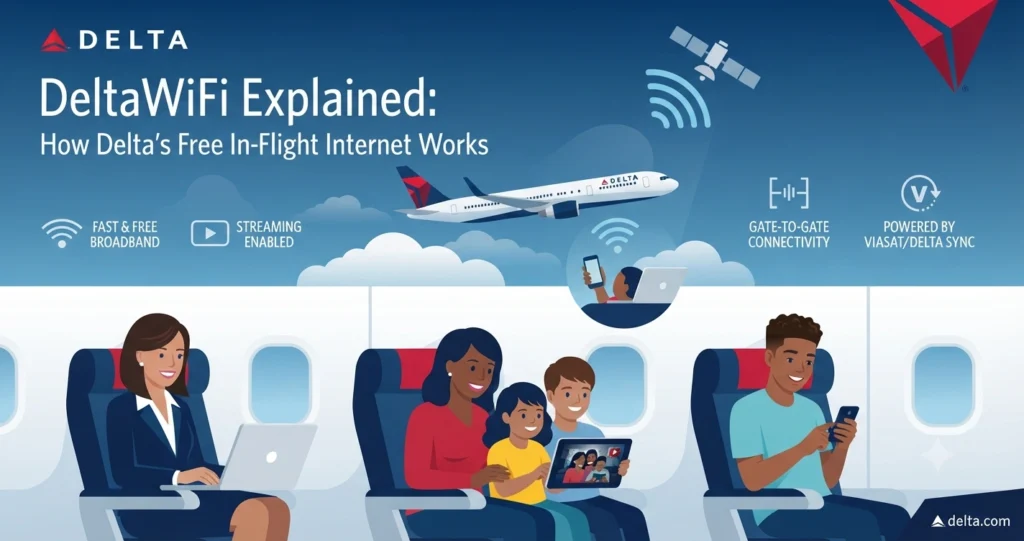
DeltaWiFi Explained: How Delta’s Free In-Flight Internet Works.
Introduction
Staying connected during a flight has become an important part of modern air travel. Passengers may want to answer emails, message family members, stream entertainment, check travel information, or simply browse the internet while flying.
DeltaWiFi officially part of Delta’s Delta Sync Wi-Fi experience, provides internet connectivity on many Delta flights. Delta says its fast, free Wi-Fi is presented by T-Mobile and is available to SkyMiles members on most eligible flights. The airline has continued expanding the service across its domestic and international fleet, with full fleet connectivity planned by the end of 2026.
The service is more than a basic wireless connection. Delta Sync combines onboard internet with personalized experiences, entertainment, partner offers, and other digital features. Understanding how DeltaWiFi works can help travelers connect faster and avoid confusion when they board.
Quick Answer: What Is DeltaWiFi?
DeltaWiFi is Delta Air Lines’ onboard Wi-Fi service that allows passengers to connect personal devices to the internet during eligible flights.
The current experience is branded Delta Sync Wi-Fi and is presented by T-Mobile. SkyMiles members can access fast, free connectivity on eligible aircraft by connecting to the Delta Wi-Fi network and signing in. Delta says the service is available on more than 1,200 aircraft worldwide as of May 2026.
Passengers can use supported devices such as smartphones, tablets, and laptops. Delta says members can connect multiple personal devices, making it possible to move between a phone and computer during a flight.
DeltaWiFi at a Glance
| Feature | Current information |
|---|---|
| Official experience | Delta Sync Wi-Fi |
| Airline | Delta Air Lines |
| Wi-Fi provider/presenter | T-Mobile |
| Cost for eligible SkyMiles members | Free |
| Devices | Smartphones, tablets, laptops and other compatible personal devices |
| Login | SkyMiles account |
| Connection portal | DeltaWiFi.com |
| Streaming | Available on supported connectivity |
| Availability | Most eligible flights, with coverage continuing to expand |
| Future technology | Amazon Leo rollout planned beginning in 2028 |
Availability can vary according to aircraft, route, region, and rollout status.
What Is DeltaWiFi?
DeltaWiFi refers to Delta’s onboard internet connectivity service.
The current system is integrated into Delta Sync, Delta’s broader connected travel experience. According to Delta, Delta Sync Wi-Fi provides fast, free connectivity for SkyMiles members and is designed to support activities such as browsing, chatting, working, and streaming.
The airline has been expanding the service across its fleet since introducing free Wi-Fi more broadly. In May 2026, Delta reported that more than 1,200 aircraft had been equipped with Delta Sync Wi-Fi.
That scale means many travelers can expect Wi-Fi during their Delta journey, although availability is not identical on every aircraft or route.
How Does DeltaWiFi Work?
DeltaWiFi works through connectivity equipment installed on Delta aircraft.
Once the boarding doors close, passengers can activate Wi-Fi on their devices and connect to the Delta Wi-Fi network. Opening a browser should take the traveler to the Delta Sync Wi-Fi portal, where a SkyMiles member can sign in. Delta also directs passengers to DeltaWiFi.com as a way to reach the connection page.
The exact technology behind the connection can vary according to aircraft and network configuration. Delta says its connectivity partners provide the satellite and onboard technology needed to expand coverage throughout its fleet.
For travelers, the process is relatively simple:
- Board the aircraft.
- Wait until the boarding doors close.
- Turn on Wi-Fi on your device.
- Select the Delta Wi-Fi network.
- Open a web browser.
- Allow the Delta Wi-Fi portal to load.
- Sign in with your SkyMiles account.
- Start browsing or using supported online services.
Is DeltaWiFi Free?
For eligible SkyMiles members, Delta’s Delta Sync Wi-Fi is free.
Delta’s SkyMiles program is free to join, and the airline lists fast, free Delta Sync Wi-Fi as one of the benefits available to members.
This approach means passengers generally do not need to purchase a separate Wi-Fi package when their flight and aircraft support the free service.
There is an important qualification, though. Delta’s current information says Wi-Fi availability varies by flight, aircraft, and network rollout. Therefore, “free Delta Wi-Fi” should not be interpreted as a guarantee that every Delta flight will have the same connectivity experience.
Who Can Use Free Delta Wi-Fi?
The primary group eligible for free Delta Sync Wi-Fi is SkyMiles members on supported flights.
Joining SkyMiles does not require a membership fee. Delta says members can receive fast, free Wi-Fi along with other program benefits.
A SkyMiles account can therefore be useful before a trip if you expect to use Delta’s onboard internet.
Passengers should also remember that connectivity depends on the specific aircraft and route. Delta continues to expand international and regional availability, so the experience may differ from one flight to another.
How to Connect to DeltaWiFi
Connecting to DeltaWiFi generally takes only a few steps.
Step 1: Turn on Wi-Fi
After the aircraft reaches the appropriate stage of the boarding process, open the Wi-Fi settings on your smartphone, tablet, or laptop.
Step 2: Select the Delta Network
Look for the Delta Wi-Fi network listed among the available wireless connections.
Step 3: Open Your Browser
Once connected, open a browser if the Delta portal does not appear automatically.
Step 4: Open DeltaWiFi.com
Delta specifically says customers can type DeltaWiFi.com into their browser to access the Wi-Fi portal.
Step 5: Sign In
SkyMiles members can log in to access the free Delta Sync Wi-Fi experience.
Step 6: Start Using the Internet
After authentication, passengers can use supported online services during the flight.
If the portal does not appear immediately, disconnecting and reconnecting to the Wi-Fi network or reopening the browser may help.
What Devices Work With DeltaWiFi?
Delta Sync Wi-Fi is designed to work with common personal devices.
Supported device types include:
- Smartphones
- Tablets
- Laptops
- Other Wi-Fi-enabled personal devices
Delta says SkyMiles members can use the service across multiple personal devices.
For example, a passenger could connect a smartphone for messaging and later connect a laptop for work.
Device compatibility can depend on the hardware, operating system, browser, and onboard network environment. Keeping your device’s software updated before traveling can reduce some connection problems.
Can You Stream With DeltaWiFi?
Yes. Delta describes its current connectivity as streaming-quality Wi-Fi on supported flights.
The airline specifically promotes the ability to stream, browse, chat, and work using Delta Sync Wi-Fi.
Delta has also connected its onboard Wi-Fi experience with entertainment partners. Its 2026 updates mention services and content from partners such as Paramount+, YouTube, Crunchyroll, and FOX One.
Actual streaming performance can still vary.
Aircraft location, satellite connectivity, network demand, device performance, and the service being accessed can all affect the experience. A connection that works well for messaging may not perform identically for high-bandwidth video streaming.
Does DeltaWiFi Work on International Flights?
Delta has been expanding Wi-Fi beyond its domestic network.
The airline says Delta Sync Wi-Fi is available on most domestic flights and on many international flights, while rollout continues across the global fleet.
Delta reported in May 2026 that connectivity covered most of the globe, including transatlantic routes to Europe, Latin America, and Africa. The airline also said full trans-Pacific coverage was coming online during 2026.
Regional aircraft and certain international routes may therefore have different availability.
Travelers who need internet access for a particular trip should check Delta’s current Wi-Fi information and the expected aircraft before assuming that the service will be available.
What Is Delta Sync?
Delta Sync is broader than DeltaWiFi alone.
Delta describes Delta Sync as a connected travel platform with two primary products:
- Delta Sync Wi-Fi
- Delta Sync seatback
The Wi-Fi component provides internet connectivity on personal devices. Delta Sync seatback focuses on personalized entertainment and information through compatible seatback screens.
This distinction is useful because the terms “DeltaWiFi” and “Delta Sync” are sometimes used interchangeably in casual conversations.
Technically, however, Delta Sync represents the larger onboard digital experience, while Delta Sync Wi-Fi is the connectivity component.
Delta Sync Wi-Fi vs. Delta Sync Seatback
| Feature | Delta Sync Wi-Fi | Delta Sync Seatback |
|---|---|---|
| Main purpose | Internet connectivity | Personalized onboard entertainment |
| Device | Personal devices | Seatback screen |
| Internet browsing | Yes | Not the primary purpose |
| Streaming | Supported on eligible connectivity | Entertainment content |
| Personalized content | Yes | Yes |
| Flight updates | Through connected experience | Available through supported seatback features |
| Availability | Varies by aircraft and route | Rolling out on select fleets |
Delta says Sync seatback provides features such as personalized recommendations, real-time arrival and connection notifications, and the ability to resume entertainment across flights.
What Can You Do With DeltaWiFi?
The available activities depend on the aircraft and network performance, but Delta promotes several common uses.
Browse the Web
Passengers can access websites and online services during supported flights.
Send Messages
Messaging family, friends, and colleagues is one of the simplest uses of inflight connectivity.
Work
Email, cloud-based work tools, document editing, and other online tasks can be possible when the connection is stable.
Stream Entertainment
Delta promotes streaming-quality connectivity on supported flights.
Follow Travel Information
Passengers can use connected services to check information related to their journey.
Access Delta Sync Offers
SkyMiles members can also receive access to personalized content and partner offers through Delta Sync.
Why Does Delta Require SkyMiles?
Delta uses SkyMiles as the gateway to its free Wi-Fi experience.
The airline’s current model connects free Wi-Fi access with SkyMiles membership. Since SkyMiles is free to join, passengers can create an account without paying a membership fee.
Delta also uses the account to personalize parts of its onboard experience.
Members can receive customized content, entertainment recommendations, offers, and other digital experiences through Delta Sync.
This creates a connection between the airline’s loyalty program and its digital onboard services.
What If You Are Not a SkyMiles Member?
Delta’s current media information says customers who do not have a SkyMiles account can purchase Wi-Fi access, although they do not receive the full Delta Sync seatback experience associated with membership.
Because policies and availability can change, travelers should check Delta’s current Wi-Fi terms for their specific flight.
For frequent Delta travelers, creating a free SkyMiles account can simplify access to the complimentary Wi-Fi on eligible flights.
DeltaWiFi and Internet Security
Using public or shared networks requires normal online-security precautions.
Airline Wi-Fi is not the same as a private home or office network. Travelers should avoid entering sensitive information on unfamiliar pages and should confirm that they are using the legitimate Delta Wi-Fi portal.
Good practices include:
- Use HTTPS websites whenever possible.
- Keep your device and browser updated.
- Avoid downloading unknown files.
- Do not share passwords unnecessarily.
- Use a trusted VPN if appropriate for your security requirements.
- Log out of important accounts after use.
- Be careful with links received through unexpected messages.
A VPN can add another layer of protection, although VPN performance may vary on an aircraft network.
What If DeltaWiFi Is Not Working?
Connectivity problems can occur even when Wi-Fi is advertised as available.
Several simple troubleshooting steps may help.
Reconnect to the Network
Turn Wi-Fi off and on again, then reconnect to the Delta network.
Open the Browser Manually
Sometimes the captive portal does not automatically appear. Opening a browser and visiting DeltaWiFi.com can trigger the login page.
Disable Competing Connections
Turn off other network connections that might interfere with the device’s attempt to reach the Wi-Fi portal.
Restart the Browser
Closing and reopening the browser can refresh the connection process.
Try Another Device
If your phone does not connect, checking with a tablet or laptop can help determine whether the problem is device-specific.
Ask the Crew
When technical problems continue, the cabin crew may be able to explain whether Wi-Fi is currently available on that aircraft.
Not every connectivity issue can be fixed from the passenger’s device. Aircraft equipment, satellite coverage, network demand, and route conditions can also affect service.
The Future of Delta’s In-Flight Connectivity
Delta’s Wi-Fi network is still evolving.
The airline says it plans to introduce Amazon Leo satellite connectivity beginning in 2028. Delta announced plans for an initial installation on 500 aircraft beginning that year, with further expansion planned.
The stated goal is to provide faster and lower-latency connectivity while supporting more advanced digital experiences onboard.
For passengers, that could mean stronger support for activities that depend on consistent internet performance, including streaming, file sharing, video-based services, and other cloud applications.
The actual passenger experience will depend on how the technology is deployed across the fleet.
Advantages and Limitations of DeltaWiFi
| Advantages | Limitations |
|---|---|
| Free for eligible SkyMiles members | Availability varies by flight |
| Multiple personal devices supported | Not every aircraft has identical equipment |
| Streaming-quality connectivity on supported flights | Performance can vary |
| Available across much of Delta’s network | International and regional rollout continues |
| Integrated with Delta Sync | Login may be required |
| Supports work and communication | Aircraft connectivity can experience interruptions |
Delta has made significant progress with its Wi-Fi rollout, but passengers should still check the specific flight rather than assuming identical service everywhere.
Frequently Asked Questions
What is DeltaWiFi?
DeltaWiFi is Delta Air Lines’ onboard Wi-Fi service, currently presented as Delta Sync Wi-Fi. It provides internet access on eligible Delta flights.
Is DeltaWiFi free?
Delta Sync Wi-Fi is free for SkyMiles members on eligible flights. Delta says SkyMiles membership itself is free.
How do I connect to DeltaWiFi?
Connect your device to the Delta Wi-Fi network, open a browser, and access the Delta Sync Wi-Fi portal. Delta also directs customers to DeltaWiFi.com.
Do I need a SkyMiles account?
A SkyMiles account provides access to the free Delta Sync Wi-Fi experience on eligible flights. Delta says non-members may purchase Wi-Fi access where offered.
Can I use DeltaWiFi on my laptop?
Yes. Delta specifically identifies laptops, phones, and other personal devices as supported ways to use Delta Sync Wi-Fi.
Can I stream movies on DeltaWiFi?
Delta describes its service as streaming-quality connectivity on supported flights. Actual performance can vary according to aircraft, network conditions, and demand.
Does DeltaWiFi work internationally?
Delta has expanded Wi-Fi to many international flights, but availability varies. The airline continues to expand connectivity across its global network.
What is Delta Sync?
Delta Sync is Delta’s broader connected onboard experience. It includes Delta Sync Wi-Fi and Delta Sync seatback, which provides personalized entertainment and travel information on supported aircraft.
Final Takeaway
DeltaWiFi has evolved into a major part of Delta Air Lines’ connected travel experience. The service is now branded Delta Sync Wi-Fi and gives eligible SkyMiles members access to free onboard internet on supported aircraft.
Passengers can connect smartphones, tablets, laptops, and other compatible devices through the Delta Wi-Fi network. Browsing, messaging, working, and streaming are among the activities Delta promotes for its connected flights.
Coverage has expanded considerably, with Delta reporting more than 1,200 Wi-Fi-equipped aircraft in May 2026. International and regional availability continues to develop, so the exact experience depends on the aircraft and route.
Delta Sync also goes beyond internet access. Its broader platform combines Wi-Fi, personalized entertainment, seatback experiences, travel information, and partner content. Future connectivity plans involving Amazon Leo are expected to further expand the technology beginning in 2028.
For travelers, the practical takeaway is straightforward: create a free SkyMiles account, connect to the Delta Wi-Fi network after boarding, open the Delta Wi-Fi portal, and sign in when the service is available. Checking Delta’s current Wi-Fi information for your particular flight remains worthwhile because coverage can vary.